

October 24, 2026 · 7 min read
How to Manage a Large Guest List Without Chaos
Learn how to manage a guest list for a big wedding or event: group guests, track RSVPs and meals, and keep an accurate headcount.
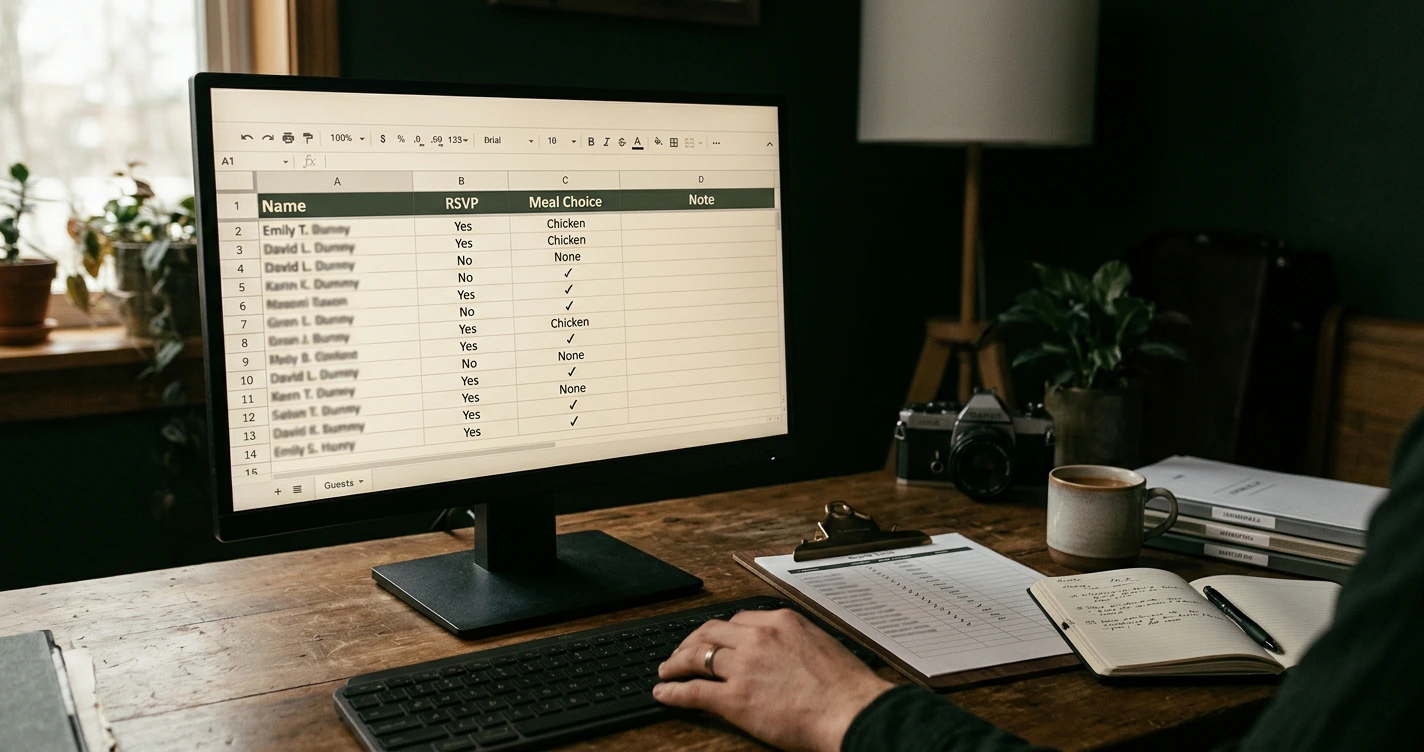
Start by giving every guest a home in one organized list, because a large guest list only turns chaotic when the details live in scattered texts, half-finished spreadsheets, and your memory. Once you can see every name, address, RSVP, and meal choice in a single place, the rest of the planning follows from a number you can trust.
A big wedding is more people than most of us coordinate in daily life. The Knot's 2026 Real Weddings Study put the average wedding at around 117 guests, and the most common size bracket was 101 to 150 guests, roughly a third of all weddings tracked, according to Carats & Cake. That is a small company's worth of names, each with a mailing address, a dietary note, and a seat. This guide walks through how to manage a guest list of that size without losing track of a single person.
Start by Organizing Guests Into Groups and Categories
Before you worry about RSVPs or seating, sort your guests into groups, because every later decision inherits that structure. A clean set of categories turns a wall of names into something you can filter, count, and act on.
Build your groups around how you actually plan. Useful categories usually include:
- Side or host: your family, your partner's family, mutual friends, or the equivalent split for a birthday or corporate event.
- Relationship tier: immediate family, extended family, close friends, colleagues, acquaintances. This tier is what you cut first if the number runs high.
- Logistics group: out-of-town guests, guests needing accommodation, children, vendors who eat on site.
- Table or seating cluster: who naturally belongs together once you reach the seating stage.
Tag each guest with the groups that apply. The payoff comes later: when the venue caps you at 140, you can see exactly which tier to trim, and when you build the seating chart, your clusters are already defined.
Track Addresses, RSVPs, and Meal Choices in One Place
The single biggest source of guest list chaos is detail living in too many places. Keep one record per guest that holds everything you need, because chasing a mailing address across three apps is where mistakes creep in.
For each guest, capture at least:
- Full name and how they want to be addressed on the invitation.
- Mailing address for physical invites and thank-you notes.
- Email or phone for digital invitations and reminders.
- RSVP status: invited, yes, no, or awaiting reply.
- Meal choice and dietary needs, including allergies and kids' meals.
- Group tags from the step above.
Treat this record as your single source of truth. When an address changes or a guest switches from chicken to the vegetarian option, you update one field, and every downstream count, print list, and seating note stays correct. Wdplan keeps guest details, RSVPs, and meal choices on one guest profile so the running number updates itself as replies come in, which spares you the spreadsheet rebuilds.
RSVPs are where plans wobble. Expect a share of invitees to never reply at all, and a few confirmed guests to miss the day entirely. Build in follow-up reminders rather than hoping, and collect replies straight into your list so the count never falls out of date.
Handle Plus-Ones and Last-Minute Additions
Decide your plus-one rule before invitations go out, and write it down, because the pressure to make exceptions arrives one guest at a time. A consistent policy is far easier to defend than a dozen individual judgment calls.
A clear, common rule is to offer a plus-one to anyone married, engaged, or in a long-term relationship, and not to extend it to every single guest by default. Whatever you choose, apply it the same way to both sides so no one feels singled out. Record each confirmed plus-one as its own guest entry with a name once you have it, so your meal count and seating plan include that person rather than a vague "plus guest."
Last-minute additions are normal, especially for corporate events and large family celebrations. Keep a short waitlist of guests you would invite if space opens, and give yourself a cutoff date after which no new names go to the caterer. That cutoff protects your headcount from drifting in the final week when your venue and vendors need a firm number.
Keep an Accurate Running Headcount
Your headcount is the number almost every vendor decision rides on, so keep one live total rather than recounting from scratch each week. Caterers price per head, venues enforce capacity, and your budget moves with the number.
The cost of getting this wrong is real. When the average cost per guest runs close to three hundred dollars, ten extra or missing confirmations can swing your budget by thousands. An accurate count is not an administrative nicety; it is money.
A few habits keep the number honest:
- Update status the day a reply arrives, not in a weekly batch, so the total is always current.
- Separate "invited" from "confirmed" so you never confuse your potential ceiling with your real attendance.
- Set an RSVP deadline three to four weeks before the event, then chase non-responders in the gap before your caterer's final-count date, usually one to two weeks out.
- Add a small buffer for the handful of confirmed guests who do not show, rather than assuming perfect attendance.
Because your spending tracks your headcount, it helps to link the two. Pairing your guest list with a budget keeps surprises off the table; our guide to tracking wedding expenses without losing your mind shows how the per-guest math adds up.
Export Clean Lists for Vendors and Seating
The moment your list is accurate, it becomes a working document for everyone else involved. You will need to hand filtered versions of it to vendors, printers, and your seating plan, so being able to export cleanly matters as much as tracking cleanly.
Common exports a large event needs:
- A catering list showing meal choices and dietary needs, with no contact details the caterer does not need.
- An address list for the stationer or your own invitation mail-out.
- A confirmed-guests list grouped by table for place cards and the seating display.
- A checked-in list for the day itself, if you are tracking arrivals.
Each of these is just a filtered view of the same master record, which is exactly why one source of truth saves so much work. When your seating chart pulls from the confirmed list, a late cancellation updates the plan instead of leaving a ghost seat. From there, the creative part gets easier; our roundup of creative wedding seating chart ideas and displays turns that clean list into something guests enjoy reading.
Use Tools That Scale for Big Weddings and Events
Spreadsheets manage a short list fine. They strain at 150 names with live RSVPs, meal changes, plus-ones, and seating all depending on the same data, because every edit risks breaking a formula or a filter someone else is relying on.
A dedicated planner holds the whole picture together. Wdplan keeps your guest list, RSVP tracking, meal choices, budget, tasks, and drag-and-drop seating chart in one place, so a change in one area updates the others rather than forcing a manual re-entry. For professional planners juggling several events at once, that shared structure is the difference between coordinated and frantic, and it is why a membership covering multiple active plans tends to pay off faster than you would expect.
Whatever you use, the test is simple: can you see an accurate headcount, filter it for any vendor, and trust that your seating chart reflects today's reality? If the answer is yes, a guest list of a hundred or more stops being a source of dread and becomes a quiet, organized part of the plan. Set up your groups, pick the tool that holds them, and give your people the seat they came for.